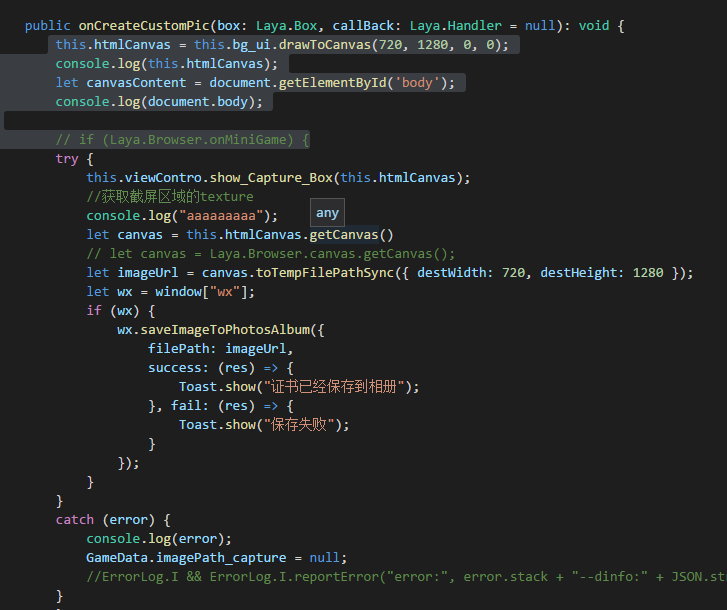
[code]/**
* 生成图片到相册或截屏
*/
var htmlCanvas:HTMLCanvas= box.drawToCanvas(1280,720,0,0);//其中box是一个容器
var canvas:Object = htmlCanvas.getCanvas();
var imagePath:String;// = canvas.toTempFilePathSync();
canvas.toTempFilePath({
x: 0,
y: 0,
width: 1280,
height: 720,
destWidth: 1280,
destHeight: 720,
success:function(res:Object):void{
imagePath = res.tempFilePath;//这个就是截屏的图片地址,可以将图片生成到相册,也可以使用这个地址用来里显示
wx.saveImageToPhotosAlbum({
filePath:imagePath,
success:function(res:*):void{
trace("-----------saveImageToPhotosAlbum----------success----------");
trace(res);
trace("保存图片成功,请到相册里查看!");
},fail:function(res:*):void{
trace("-----------saveImageToPhotosAlbum----------fail----------");
trace(res);
}
});
}
});[/code]以上是1.0的实现方式。
截屏需要注意:不能截开放域渲染的区域,这个微信本身是不允许的。