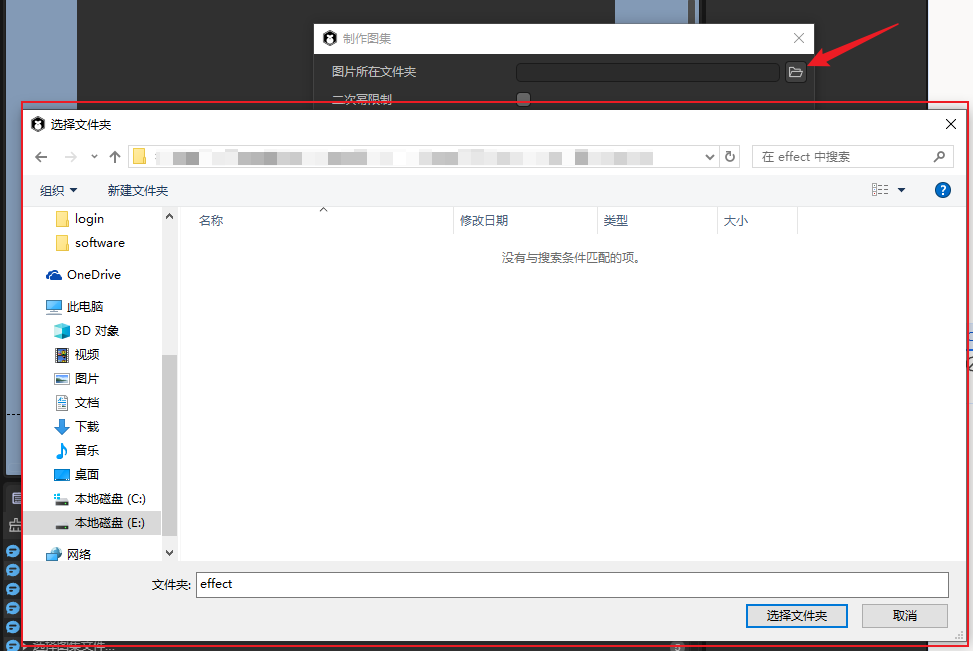
在ui编辑器上没有摸索到如何处理。只能通过代码处理了。
export class SplitAtlasDialog extends IEditor.Dialog {
async create() {
let panel = IEditor.GUIUtils.createInspectorPanel();
let data = Editor.getSettings("SplitAtlasSetting").data;
panel.inspect(data, "SplitAtlasSetting");
this.contentPane = panel;
panel.on("click_start_gen", this.startGen, this);
}
protected onShown() {
(this.contentPane as IEditor.InspectorPanel).resetDefault();
this.title = "SplitAtlas";
this.setSize(450, 180);
}
}
class SplitAtlasSetting {
@IEditor.onLoad
static start() {
Editor.typeRegistry.addTypes([
{
name: "SplitAtlasSetting",
catalogBarStyle: "hidden",
properties: [
{
name: "help",
caption: "提示",
inspector: "Info",
type: "string",
default: "输入文件夹中需要有图集文件,输出目录会生成分割后的图片。",
},
{
name: "inputPath",
caption: "输入目录",
inspector: "File",
options: {
absolutePath: true,
properties: ["openDirectory"]
},
type: "string",
},
{
name: "outputPath",
caption: "输出目录",
inspector: "File",
options: {
absolutePath: true,
properties: ["openDirectory"],
},
type: "string",
},
{
name: "",
inspector: "Buttons",
options: { buttons: [{ caption: "生成", event: "click_start_gen" }] }
}
]
}
]);
Editor.extensionManager.createSettings("SplitAtlasSetting", "project");
}
}